Patterned Christmas Borders: Vector Brushes for Flawless Holiday Designs
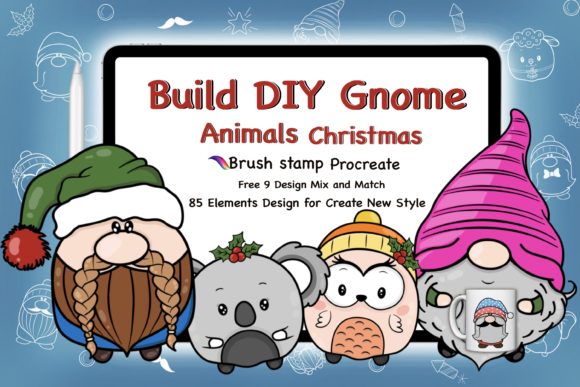
The holiday season brings a rush of creative projects, from heartfelt invitations to bold marketing campaigns. In the midst of this festive chaos, efficiency is just as valuable as creativity. This is where Patterned Christmas Borders and specialized vector brushes become indispensable tools for designers of all levels. Specifically, the collection featuring Christmas gnomes and classic holiday elements offers a streamlined way to add professional flair to your work without starting from scratch. However, simply downloading a set of assets isn't enough; understanding how to integrate them correctly into your workflow is what separates a polished final product from a frustrating experience.
Many creators, whether they are seasoned freelancers or small business owners handling their own branding, often overlook the technical nuances of vector pattern brushes. A common misconception is that all digital borders function identically across different software. It is crucial to understand that these specific Patterned Christmas Borders are engineered exclusively for Adobe Illustrator. Attempting to use them directly in Photoshop or other raster-based programs will lead to immediate disappointment, as the flexible, path-based nature of vector brushes relies on Illustrator's specific engine. Before you begin, ensure your toolkit includes Adobe Illustrator CC or, if you are working with older systems, the included AI10 and EPS 10 files which offer compatibility with earlier versions and other vector applications.
Avoiding Compatibility and Format Pitfalls
One of the most frequent errors occurs when users fail to verify their software version before purchasing or downloading. While modern creative suites are powerful, not every studio operates on the latest update. This collection addresses that by providing files in multiple formats, including AI10 for legacy versions and EPS 10 for cross-platform vector use. Ignoring these options can result in broken links or uneditable graphics. If you are collaborating with a print shop or a client who uses an older version of Illustrator, relying solely on the CC file could halt your project. Always check the recipient's capabilities. The wise approach is to utilize the EPS 10 format when universal compatibility is required, ensuring that your seamless Christmas patterns remain editable regardless of the environment.
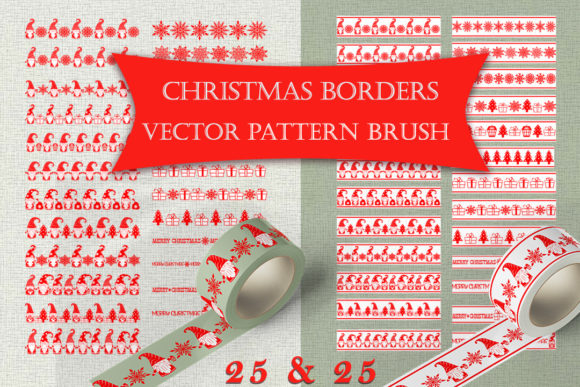
Furthermore, there is often confusion regarding the background variations included in such sets. This specific package provides two distinct sets: patterns on a transparent background and patterns on a white background with a red border. A typical mistake is applying the white-background version over a colored or textured design element, resulting in an unsightly white box that disrupts the layout. Conversely, using the transparent version when a crisp, defined edge is needed can make the design feel unfinished. To avoid this, assess your canvas early. If you are designing a postcard with a full-bleed image, the transparent gnome patterns allow for seamless integration. If you are creating a formal invitation with a defined frame, the white background with the red border provides an instant, clean structure.
Maximizing Flexibility and Editing Potential
The true power of these 50 seamless brushes lies in their adjustability, yet many users treat them like static images. A significant oversight is failing to manipulate the stroke profile and path shape. Because these are vector brushes, they are not fixed; they respond dynamically to the path you draw. Beginners often draw a straight line and assume that is the limit of the brush's capability. In reality, you can draw complex curves, circles, or organic shapes, and the Christmas gnomes and holiday elements will flow along that path seamlessly. This flexibility allows for unique compositions that do not look like generic templates.
Another area where efficiency is often lost is in color customization. Some designers believe they must edit the original source file to change the color of the holly, the gnome's hat, or the border accents. This is unnecessary and time-consuming. Within Adobe Illustrator, you can simply change the stroke color of the path to instantly recolor the entire brush pattern. This feature is vital for brand consistency. For instance, if a corporate client needs holiday branding that matches their specific blue and silver logo rather than traditional red and green, you can achieve this in seconds. Failing to utilize this feature forces you to recreate elements manually, drastically increasing production time and cost.
Practical Applications Across Industries
Understanding the versatility of these tools opens doors for various professional applications. For entrepreneurs and marketers, these brushes are perfect for creating eye-catching social media graphics or email headers during the Q4 rush. Instead of hiring a designer for every seasonal update, you can generate high-quality borders for promotions in minutes. For educators and bloggers, these elements can decorate worksheets, newsletters, or website sidebars, adding a festive touch that engages the audience without cluttering the content.
In the realm of physical products, such as T-shirts, towels, and posters, the resolution independence of vector files is paramount. A common error in print preparation is using low-resolution raster images that pixelate when enlarged. Since these Patterned Christmas Borders are vector-based, they scale infinitely without losing quality. Whether you are printing a small business card or a large trade show banner, the lines remain crisp. However, always remember to expand the appearance of the brush before sending files to a printer if the print house requests outlined paths, ensuring there are no rendering issues on their end.
Making the Right Choice for Your Workflow
Before integrating these assets into a critical project, take a moment to test the behavior of the brushes on a dummy file. Draw a few different path shapes and apply both the transparent and white-background versions to see how they interact with your specific color palette. This simple step prevents last-minute surprises. Additionally, organize your library effectively. With 25 flexible brushes in each category, having a disorganized panel can slow down your creative flow. Consider grouping them by style or density within Illustrator for quicker access.
Ultimately, the goal is to enhance your creative output while minimizing technical friction. By recognizing that these tools require Adobe Illustrator, respecting the differences between the background variants, and leveraging the full extent of vector editing features, you transform a simple download into a powerful asset. Whether you are crafting a logo, decorating a cover, or illustrating a story, these seamless Christmas pattern brushes provide the foundation for professional results. Embrace the flexibility they offer, avoid the common traps of software incompatibility and static usage, and let your holiday designs shine with efficiency and style.