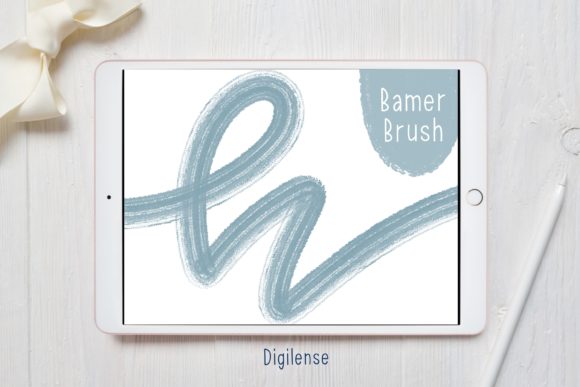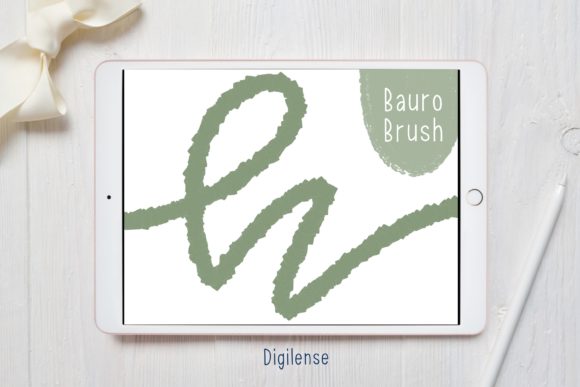
Bauro Lettering Brush for Procreate
Digital lettering has evolved from a niche skill into a fundamental tool for modern visual communication. Whether you are designing a logo, creating social media content, or journaling your daily thoughts, the right tools can significantly impact both your workflow and the final aesthetic. The Procreate Lettering Brush - Bauro stands out as a specialized asset designed to bridge the gap between traditional calligraphy and digital efficiency. It is not merely a preset; it is a crafted instrument that responds to pressure and tilt, mimicking the organic feel of ink on paper while offering the undo button and layer flexibility of iPad art.
Understanding the Bauro Brush Experience
At its core, the Bauro brush is engineered for consistency and character. Unlike standard round brushes that require significant manual adjustment to achieve varied line weights, Bauro provides an immediate, responsive stroke that feels natural to users familiar with broad-nib pens or brush markers. For those new to digital art, this reduces the learning curve associated with stabilizing hand movements. For veterans, it offers a reliable baseline that can be tweaked without losing its essential personality.
The value of this tool lies in its versatility. It is robust enough for bold headlines yet refined enough for delicate subheaders. This duality makes it a practical choice for a wide range of projects, from quick sketches to polished commercial deliverables. When you download the Procreate Lettering Brush - Bauro, you are receiving a ZIP file containing the brush itself and a PDF guide titled "How to install procreate brush on ipad." This inclusion ensures that technical barriers do not hinder creative momentum.
Why Different Creators Choose Bauro
The utility of a specific brush varies dramatically depending on who is holding the Apple Pencil. Understanding how different audiences interact with this tool can help you determine if it aligns with your specific goals.
For Beginners and Hobbyists
If you are just starting your journey into digital lettering, the primary concern is often frustration management. Traditional calligraphy requires mastering pressure control before achieving pleasing results. The Bauro brush mitigates this by providing a forgiving stroke structure. Hobbyists using Procreate for bullet journaling or personal greeting cards will appreciate the immediate gratification of clean, professional-looking letters without years of practice. The focus here is on ease of use and creativity rather than technical perfection.
For Professional Designers and Freelancers
Time is currency for professionals. Freelancers and agency designers evaluate tools based on speed and reliability. The Bauro brush allows for rapid iteration during the concept phase. Because the brush behaves predictably, designers can sketch multiple variations of a logotype or headline in minutes. Furthermore, the ability to customize the brush settings means it can be adapted to fit specific brand guidelines. For this group, the brush is an investment in workflow efficiency, reducing the time spent fighting with software to achieve a desired texture.
For Educators and Content Creators
Educators creating digital worksheets or bloggers designing Pinterest pins need visuals that are legible and engaging. The Bauro brush offers a friendly, approachable aesthetic that resonates well in educational and lifestyle contexts. Its clarity ensures that text remains readable even at smaller sizes, a crucial factor for mobile-first content. For these users, the presentation quality and accessibility of the style are paramount. They need a tool that makes their information look inviting without distracting from the message.
For Small Business Owners and Entrepreneurs
Many small business owners wear multiple hats, including that of the marketing department. Without the budget to hire a dedicated typographer, they rely on DIY solutions. The Bauro brush empowers entrepreneurs to create cohesive branding materials, from Instagram stories to packaging labels. The key priority here is commercial value and brand consistency. A high-quality lettering brush allows them to maintain a professional image across all touchpoints, fostering trust with their customers.
Practical Installation and Setup
Getting started with your new tool should be seamless. The delivery method for the Procreate Lettering Brush - Bauro is designed to be universal, though it requires a few simple steps on your iPad. You will receive a ZIP file containing the lettering Procreate brush and a PDF file with instructions. Here is how to ensure a smooth setup:
- Unzip the File: Use a free app like FileExplorer File Manager or iZip to unzip the downloaded file. This step is crucial because Procreate cannot directly import compressed files.
- Open in Procreate: Once unzipped, locate the brush file. Choose "Open in Procreate" from your file manager’s share sheet. This is the fastest method and usually places the brush directly into your library.
- Manual Import (Alternative): If the direct open option is not available, open a new canvas in Procreate. Tap the paintbrush icon to open the Brushes panel. Tap the button above the list of brushes (usually a plus sign or an import icon) to import a new brush. Navigate to the folder containing your downloaded Procreate brush, tap on the brush file, and it will load into Procreate.
This straightforward process ensures that whether you are tech-savvy or a novice, you can begin creating within minutes. The included PDF guide serves as a helpful reference if you encounter any hiccups during installation.
Evaluating Fit for Your Projects
Before integrating the Bauro brush into your regular toolkit, consider the nature of your current and future projects. Ask yourself the following questions:
- What is the tone of my project? Bauro is excellent for modern, clean, and slightly organic looks. It may not be suitable for highly ornate, vintage, or grunge styles without significant modification.
- How much customization do I need? While Bauro works well out of the box, Procreate allows deep customization. If you enjoy tweaking grain, streamline, and pressure curves, this brush provides a solid foundation for experimentation.
- Is speed a priority? If you frequently produce content under tight deadlines, a responsive brush like Bauro can significantly reduce production time compared to constructing letters from basic shapes.
For publishers and marketers, the consistency of the brush means that multi-page documents or campaign assets will maintain a unified visual language. For consumers looking to personalize gifts or home decor, the learning curve is low enough to yield satisfying results quickly.
Long-Term Usefulness and Creativity
A common concern with digital assets is obsolescence. However, a well-crafted brush like Bauro retains its value because it addresses fundamental principles of lettering: balance, weight, and flow. As your skills grow, your relationship with the brush will evolve. Beginners may use it strictly as-is, while advanced users might adjust its dynamics to create unique textures or combine it with other brushes for mixed-media effects.
The Procreate Lettering Brush - Bauro is more than a download; it is a catalyst for expression. By removing technical friction, it allows you to focus on the message you want to convey. Whether you are drafting a quick note or designing a major brand identity, having a reliable, high-quality lettering tool in your arsenal enhances both the joy of creation and the quality of the output. Consider your current needs, explore the installation process, and let the brush help you bring your ideas to life with clarity and style.